Your Trip Dashboard: Track, Invite & Split The Cost
You plan the party. Everyone pays their own share.
Every booking comes with a trip dashboard. Send one link and your group RSVPs, signs the waiver and pays their own share by card, straight off your balance. On the day, you watch your bus on a live map.
See your exact price, Travel fee included, in about 2 minutes. No obligation.
or call or text 612-226-1188
Already booked? See your dashboard
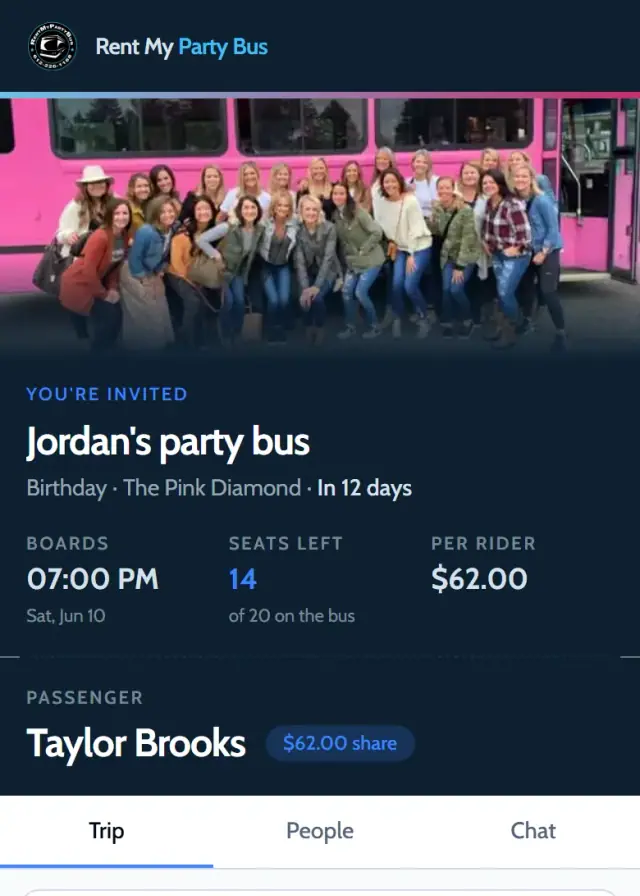
How it works, from booking to drop-off
Ten things your trip dashboard does, in the order your trip happens.
-
For: You
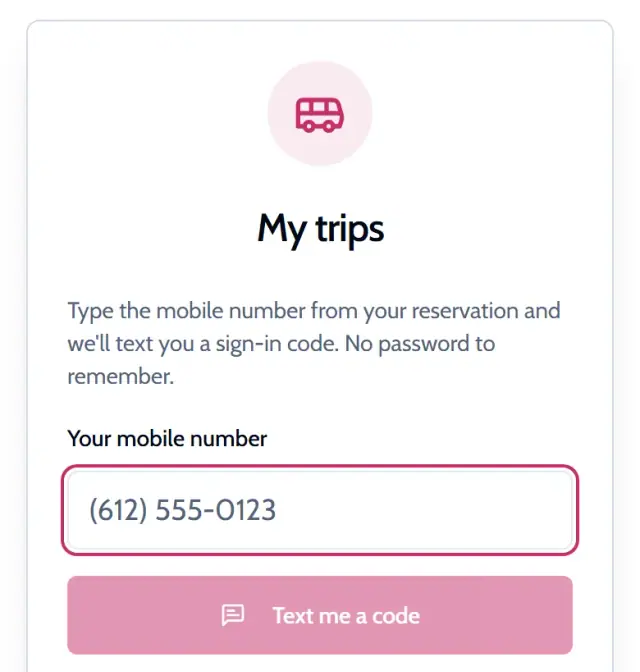
Book online, get your link
Get an Instant Quote, pick your bus and reserve with a $100 deposit. We text you a link to your trip dashboard.
No password. You sign in with a code texted to your phone.
-
For: You share it
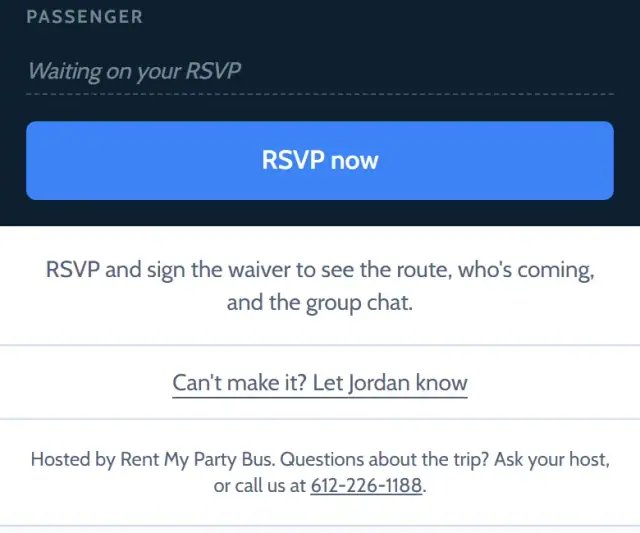
Invite everyone with one link
Your trip gets its own page. Copy the invite link or share it from your phone, wherever your group already talks.
Before they join, a guest sees the date, the bus, the seats left and their share. Names, money and the route stay hidden until they join.
-
For: You and your guests
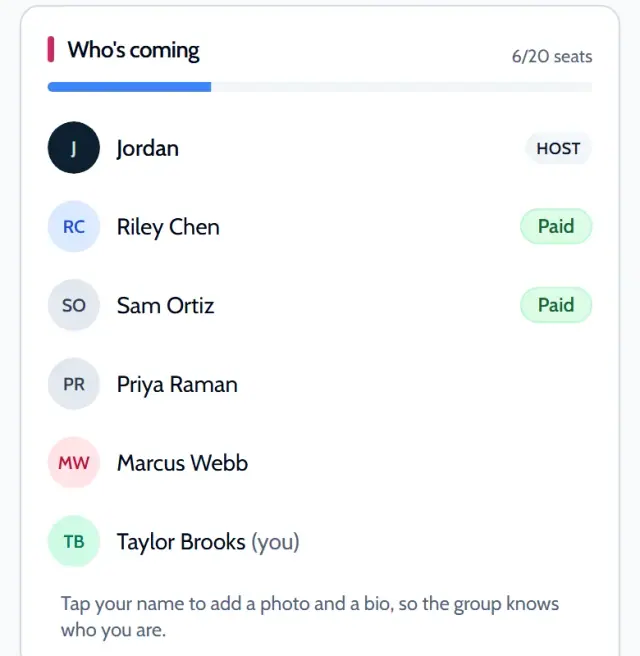
See who is coming
See who is coming, who can’t make it and how many seats are left. No more counting heads across three group chats.
A guest can say Can’t make it without signing anything, or drop out later.
-
For: You set it, guests pay
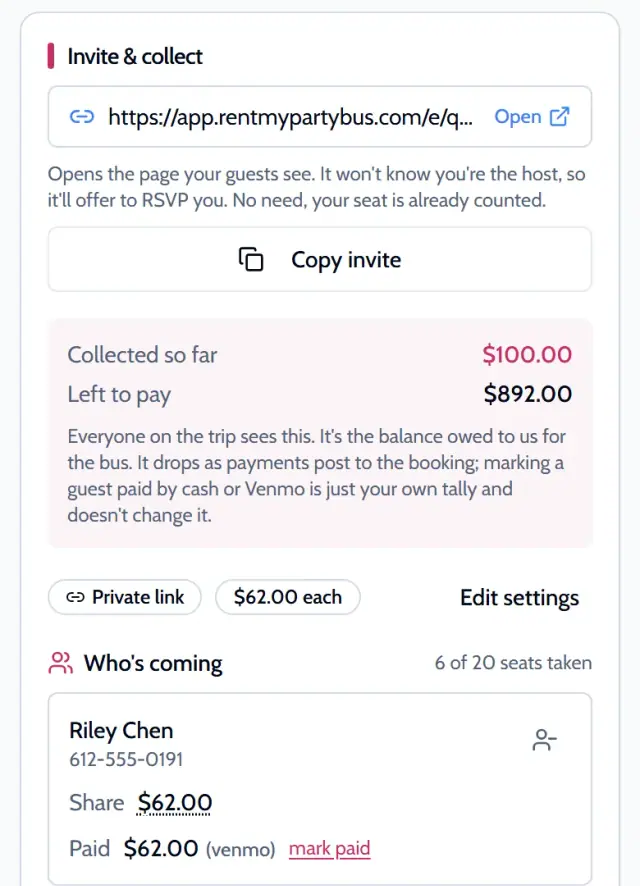
Split the cost
Set a share per person, or let someone ride free. Guests pay their own share by card and it comes off your balance.
Paid in cash or Venmo instead? Mark their share as paid.
-
For: Your guests
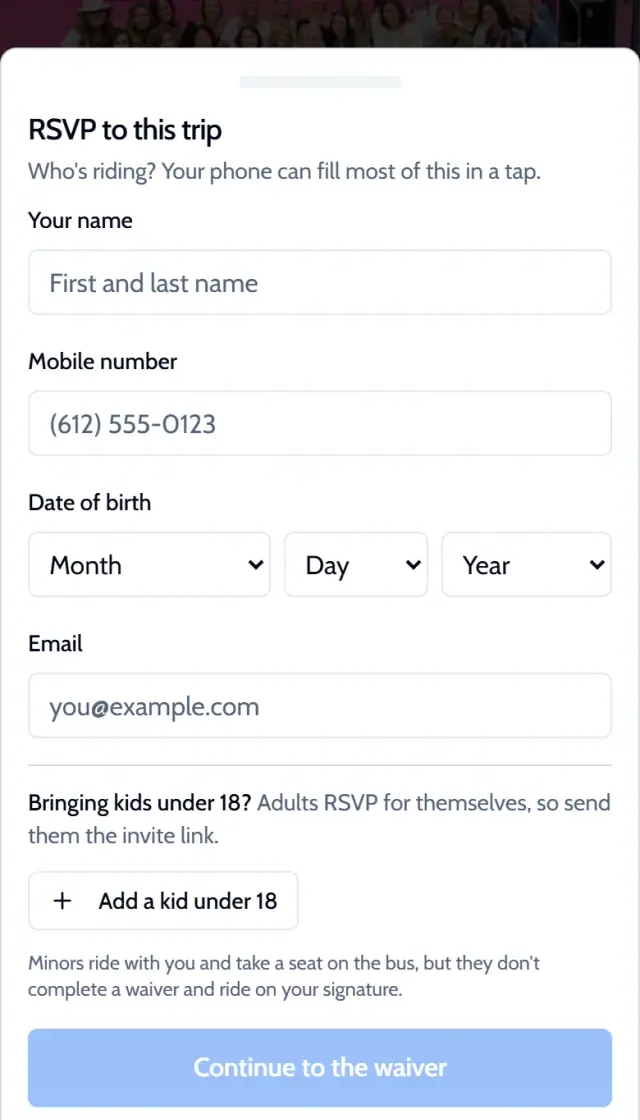
Waivers signed online
Every guest signs the waiver to join, so your guest list is the signed list. Parents sign for kids.
A guest fills in their name, mobile number, date of birth and email.
-
For: You plan it
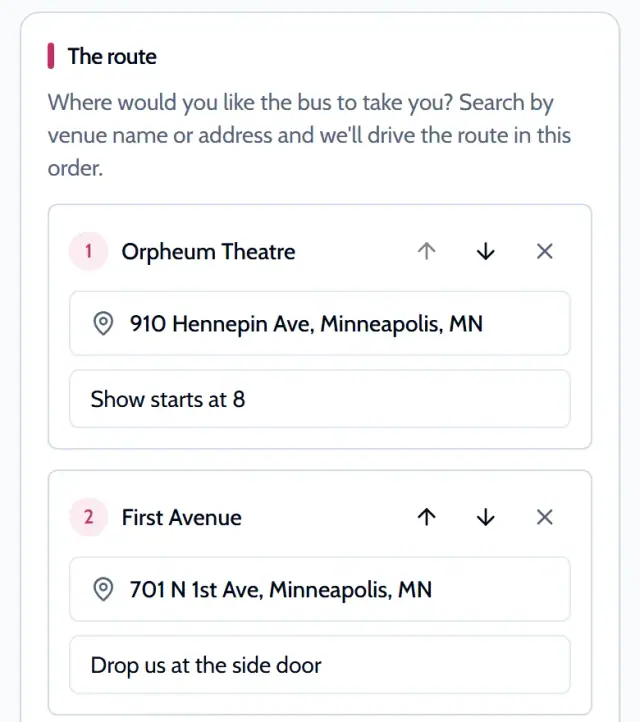
Plan your stops
Add your stops, put them in order and leave a note for the driver on each one, like which door to pull up to. Change them until the trip starts.
Guests who have joined see the route and the stops.
-
For: You and your guests
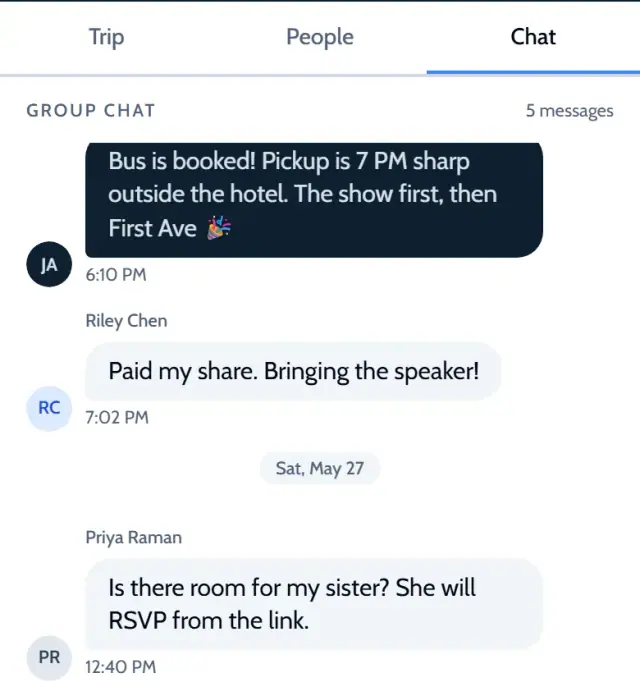
One group chat
One group chat for you and your guests. Pickup time, who is bringing what, where you are eating first: it all lives with your trip.
Guests get the chat once they join.
-
For: Only you
Call or text your driver
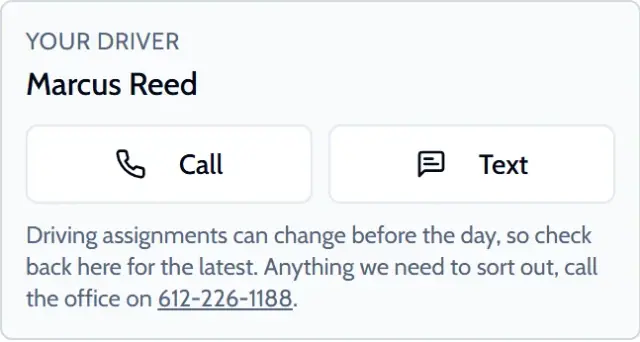
Your driver’s name and number in your dashboard, with Call and Text buttons, as soon as your driver is assigned.
The driver’s number is only for you, the person who booked. Guests do not see it.
-
For: You and your guests
Watch your bus on a live map
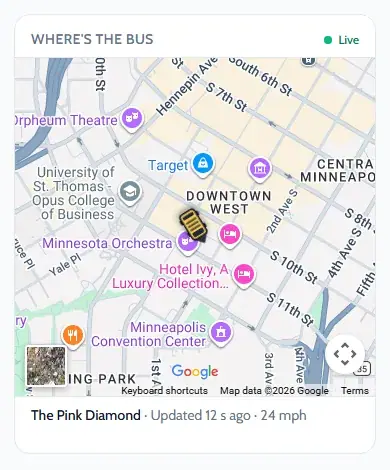
Watch your bus on a live map from the moment your driver taps On the way until drop-off. No more “how far out are you?” texts.
Guests who have joined see the same map.
-
For: You
Pay your balance, choose how to tip
See your trip total, what is paid and what is left to pay. Pay your balance online any time before the trip.
The driver tip is required and separate: 20% of the trip. Prepay it by card, or give cash or Venmo to your driver at pickup.
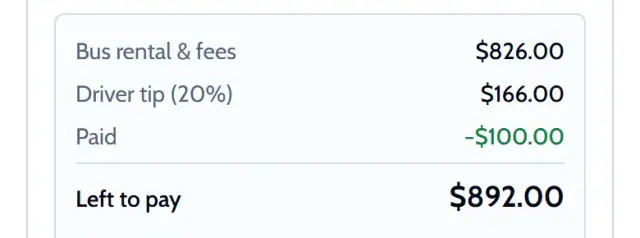
Demo trip: example prices
It all comes with your booking
or call or text 612-226-1188
The full tour, screen by screen.
Fun ride, friend’s coworkers set up the event and I am so glad they did. We signed our waivers beforehand, The driver had a quick briefing and we were on the road. Super fun way to spend a Halloween bar hopping. First bar did not have a dance floor so we got back on the bus and left for the next stop. Don’t put your feet on the seats of the bus and you’ll have a good ride!
Who gets what
You run the trip. Your guests get what they need to join, pay and ride.
You, the person who booked
- Everything your guests get
- Your trip total, what is paid and what is left to pay
- Pay your balance online and choose how to pay the driver tip
- Set each person’s share and mark cash or Venmo shares as paid
- Add stops, put them in order and leave a note for the driver on each
- Your driver’s name and number in your dashboard, with Call and Text buttons, as soon as your driver is assigned.
- Ask to change the date, the time or a stop, and see our answer on your trip page
- All your trips in one place: upcoming, past and trips you were invited to
- A receipt for every payment, emailed to you and listed on your trip page
- A reminder by email and text 7 days before, sent to the person who booked
- Extras the office adds to your trip, such as extra time, paid from your dashboard
- A profile photo and a short bio, so the group knows who you are
Your guests, once they join
- RSVP by signing the waiver, and add their kids
- Pay their own share by card
- See the route and the stops
- Join the group chat
- Watch the live bus map during the trip
- Share the invite with friends
- Get a free account to see their trips later
Trip dashboard questions
How do I get to my trip dashboard?
We text you a link to your trip dashboard. You can also open My trips at any time and sign in with a code texted to your phone. If you only need the link to one trip, we can text it to you again. Stuck? Call or text 612-226-1188.
Can I call or text my driver?
Yes. Your driver’s name and number in your dashboard, with Call and Text buttons, as soon as your driver is assigned. The driver’s number is only for the person who booked. Guests do not see it.
Who can see where the bus is, and when?
You, and the guests who have joined your trip. The map is live from the moment your driver taps On the way until drop-off.
Can my friends pay their own share?
Yes. Set a share per person, or let someone ride free. Guests pay their share by card and it comes off your balance. If someone pays you in cash or Venmo, mark their share as paid.
How do I invite my group?
Your trip gets its own page with an invite link. Copy the link or share it from your phone, wherever your group already talks. You choose who can open it: keep it on a private link, add a passcode, or make it public.
Do my guests have to sign a waiver?
Yes. Every guest signs the waiver to join, so your guest list is the signed list. They fill in their name, mobile number, date of birth and email. Parents sign for kids.
See all 13 questionsShow fewer questions
What does a guest see before they join?
The date, the bus, the seats left and their share. Names, money and the route stay hidden until they join.
What can my guests do once they join?
See the route and the stops, use the group chat, pay their own share by card, share the invite with friends and watch the live bus map during the trip. They can also drop out later if plans change.
Can I add or change stops after I book?
Yes. Add places, put them in order and leave a note for the driver on each stop. You can edit your stops until the trip starts.
How do I change my date or time?
Send a change request from your trip page and see our answer there. You can ask to change the date, the time, the stops or anything else. Changes are by request and we confirm them in writing. There is no rescheduling fee. You can also call or text 612-226-1188.
How does the driver tip work?
The driver tip is required and separate from the bus payment: 20% of the trip. You choose how to pay it. Prepay it by card in your dashboard, or give cash or Venmo to your driver at pickup. Your dashboard shows whether the tip is paid.
When can I pay my balance?
Any time before the trip, online from your dashboard. You see your trip total, what is paid and what is left to pay. We email a receipt for every payment and list them on your trip page.
Do I need a password?
No. You sign in with a code texted to your phone.
Already booked with us?
Your dashboard is in My trips. Sign in with a code texted to your phone.
See your dashboardText me my booking linkSee how it works
Stuck? Call or text 612-226-1188
Get your bus and your trip dashboard
Pick your date and pickup. See a price for every bus that fits your group.
Get an Instant Quote